
FrontierStack overview
FrontierStack runs on macOS. It manages services on this Mac and linked Mac, Linux, BSD and Windows hosts.
Introductory offerStandard is US$49/year, down fromFrontierStack runs on macOS. It manages services on this Mac and linked Mac, Linux, BSD and Windows hosts.
Introductory offerStandard is US$49/year, down fromCreate and edit Apache/Nginx virtual hosts, turn PHP on per site, issue Let's Encrypt certificates, and use the New Site (with DNS) wizard to create a vhost, a Cloudflare DNS record, a zone and a certificate in one flow.
Tight Cloudflare integration means you stop tab-hopping to their website. Create zones and DNS records, purge cache (everything, by URL or by prefix), flip Development Mode on and off, and keep an A record on your changing IP with built-in dynamic DNS; all from the app. Each pinned zone shows its SSL mode, certificate expiry, security level and today's cache hit-rate, and the AI Administrator can create DNS records for you during a New Site flow.
MySQL, PostgreSQL, Redis and more, with per-instance credentials kept in a local vault. PHP, Node and Python runtimes are detected and managed.
FrontierStack checks MySQL and PostgreSQL on the host with SELECT 1 or pg_isready; it also checks replication and scans error logs for early signs of corruption. The host keeps monitoring while your Mac sleeps. Scheduled mysqlcheck or pg_amcheck jobs can back up and repair a database; harder cases can use an approval-gated AI recovery guide.
Link macOS, Linux, BSD and Windows servers over SSH and run a suite of diagnostics on any node or ad-hoc IP; ping, traceroute, netstat, port scan, SSL inspector, security audits; using a saved sudo password through the helper. Keep an old Xserve or Mac mini on macOS Server useful by managing it remotely, and link a Raspberry Pi (or a shelf of them) like any other Linux box. When a server needs reinstalling, Boot Media mounts an installer ISO through iDRAC, iLO, XClarity, Supermicro, a PiKVM or a Proxmox VE VM, with no USB stick.
Bring the devices around your servers into the same operational view. Monitor and control SwitchBot, Zigbee and HomeKit-exposed devices, cameras, sensors, smart plugs, UPS units and network gear; organise them by Places, automate responses, and power-cycle a machine when SSH cannot reach it.
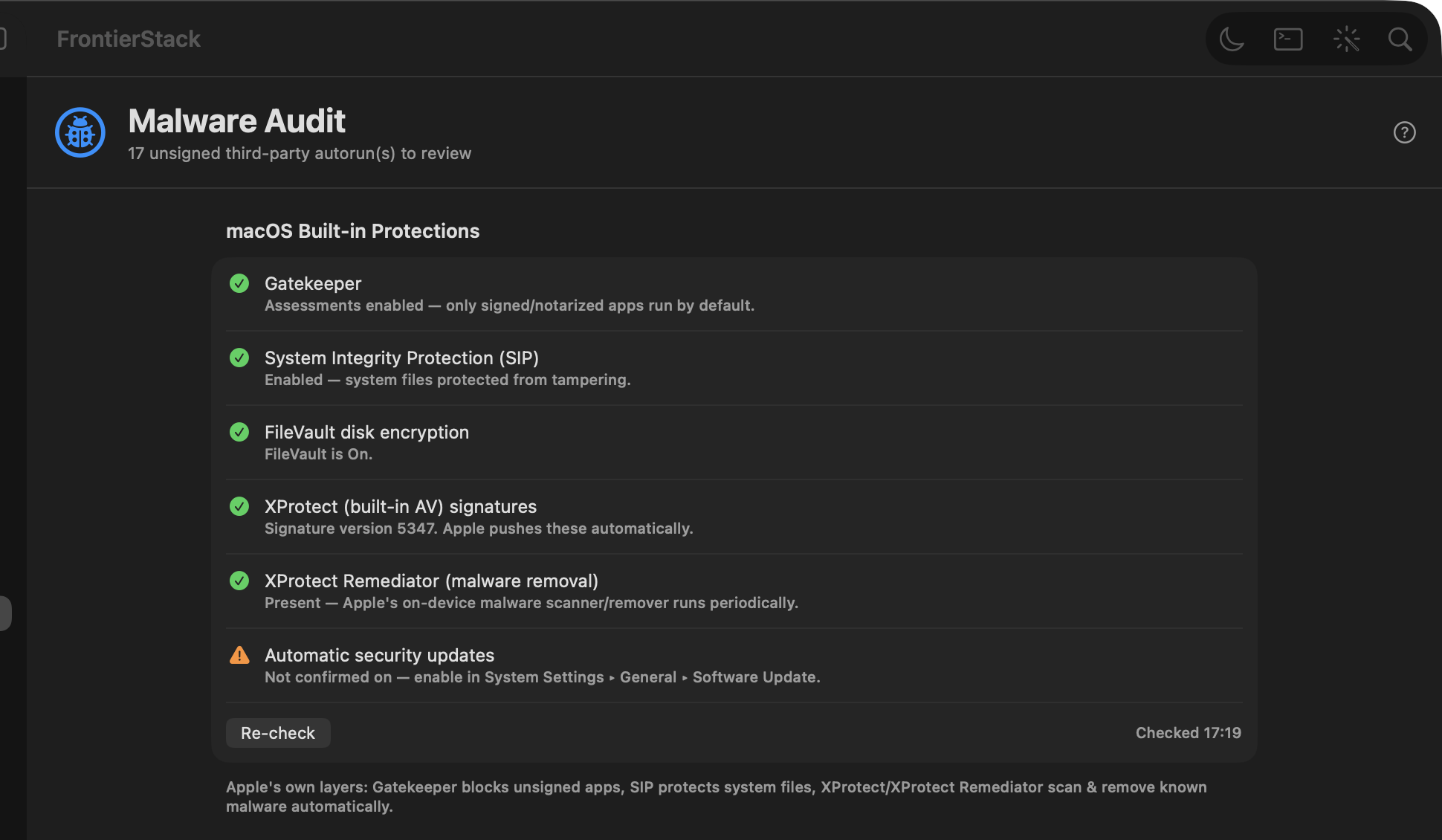
Open ports, remote-access exposure, intrusion prevention (fail2ban/CrowdSec), a dedicated macOS Firewall pane (Application Firewall + pf), and a Malware Audit pane (Gatekeeper/SIP/FileVault/XProtect, persistence, ClamAV, YARA, VirusTotal) plus an EDR Fleet board.
A dedicated SIEM & Security Data section keeps the security control plane together: platforms such as Wazuh, Splunk, Elastic Security, Microsoft Sentinel and Google SecOps; pipelines such as VirtualMetric, Cribl, Vector, Fluent Bit and OpenTelemetry Collector; secure cloud login settings; and honest installed/reachable/configured evidence across the fleet. FrontierStack watches the delivery path and opens the right console; it does not copy your event corpus or pretend to replace threat hunting. See the SIEM workflow.
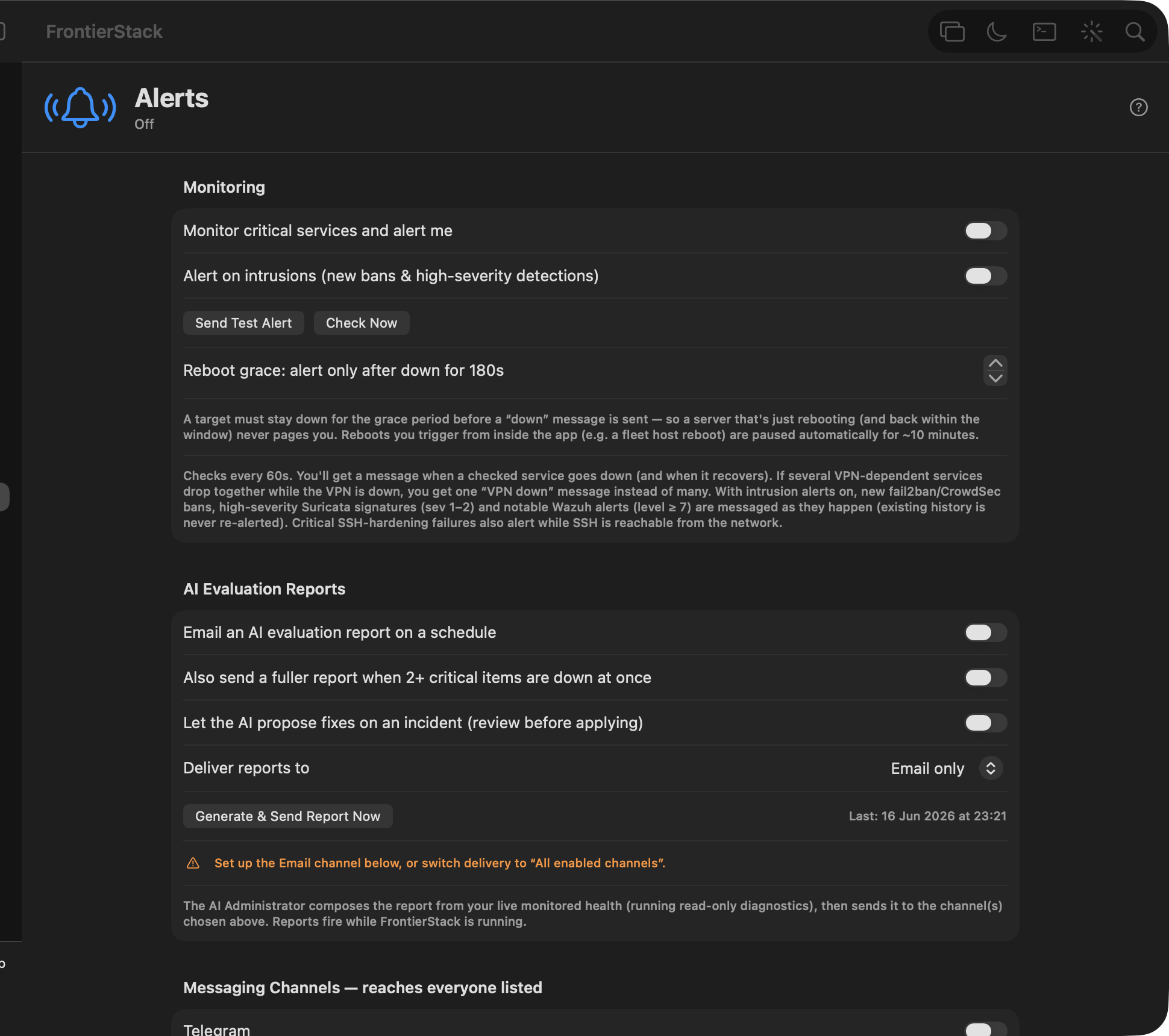
An early warning before trouble becomes an outage; threshold checks on health, certificate expiry, open ports, capacity and connected cloud services, pushed to Telegram, LINE, Slack, Discord, ntfy, email, SMS, WhatsApp, Apprise (80+ destinations) and more. Enable several, list multiple recipients, and a per-send Delivery Errors check tells you if a channel is misconfigured.
Ask why a site is returning 502 errors. The AI Administrator runs read-only checks first; any repair waits on an approval card. About 70 tools cover this Mac and linked servers over SSH. On macOS 27 it can run entirely on Apple Intelligence on-device; or on a cloud provider or a local Ollama or LM Studio model. Stored credentials stay on the Mac.
FrontierStack is built for macOS 27 and supports Apple Intelligence as a first-class engine for the AI Administrator. The on-device Apple foundation model runs privately on your Mac with no API key, no subscription and no network; it answers questions and runs read-only diagnostics offline. No key to manage, no per-token bill.
Beyond the assistant, create your own agents inside FrontierStack; goal-driven loops that run once or on a schedule, tailored to your use-case. Point one at a job ("watch this endpoint and restart it if it stalls", "reconcile inventory every morning") and it uses the same guarded tools to monitor things or do real work for you, streaming each step to a transcript you can stop at any time.
The app includes a free local network check. Its companion features require a licensed FrontierStack desktop: pair by QR code for fleet status, incidents, smart plugs and UPS, direct Tailscale helper status, notifications, Shell and AI. Every phone gets a scoped signed-request key you can revoke from the Mac. See how mobile control works.
Save scripts to a palette and schedule them on real cron, then go further: FrontierStack ships native Apple Shortcuts actions (App Intents); run a script, start a service, restart a container, flush DNS, send a notification or even ask the AI. They come with built-in Siri phrases, so you can just say "Check server health with FrontierStack" or "Ask FrontierStack…", and they appear in Spotlight. A frontierstack:// URL scheme deep-links to any pane from AppleScript or a shell step.
Running an assistant, your own agents and outside harnesses means spend in several places. The AI Model Costs dashboard pulls it all into one view; flat subscriptions (ChatGPT, Claude Pro/Max, Cursor, Perplexity, T3 Chat…) and metered API token spend per provider and model; tracked against a monthly budget with a color-coded bar. A billing-trouble watcher even alerts you on out-of-credits, hard-limit or past-due before a key stops working.
Connect Amp, DeepSeek Harness Alpha, Grok, Codex, Claude Code, Cursor, Gemini CLI or another coordinator over MCP. The agent requests work; FrontierStack authenticates the caller, limits discovery, keeps SSH keys and other server credentials local, applies approval rules, executes on the selected Mac, Linux or Windows host, and verifies the result. Local clients use an owner-only bridge, while network access remains an explicit paired and scoped choice. See the complete workflow.
Monitor agent runtimes, worker-host reachability, jobs and durable terminal sessions from one board. The iOS companion provides bounded Agent Activity and terminal-session inventory without sending prompts, transcripts, command lines, terminal contents or credentials to the phone.
Install self-hosted services and connect SaaS accounts in the same sidebar. The catalog has more than 500 entries; presets show a smaller set for web development, a home lab, a business, a fleet and other common jobs.
FrontierStack installs, monitors and secures services on this Mac and on linked servers.
Download FrontierStackApple notarized · Safe & secure · macOS 13 Ventura+